
Prior Authorization Automation: The Complete Guide for Medical Groups
Prior authorization automation helps medical groups check requirements, gather documentation, review medical necessity, submit requests, track status, and route appeals across fragmented payer workflows.
- Last Updated
- May 25, 2026
- Originally Published
- May 18, 2026
- Author
-
 Sohil Bhagat
Chief Product Officer, Kairos Health
Sohil Bhagat
Chief Product Officer, Kairos Health
- Reviewed By
-
 Dr. Divya A
Pharmacologist, 15+ years in oncology and healthcare IT
Dr. Divya A
Pharmacologist, 15+ years in oncology and healthcare IT
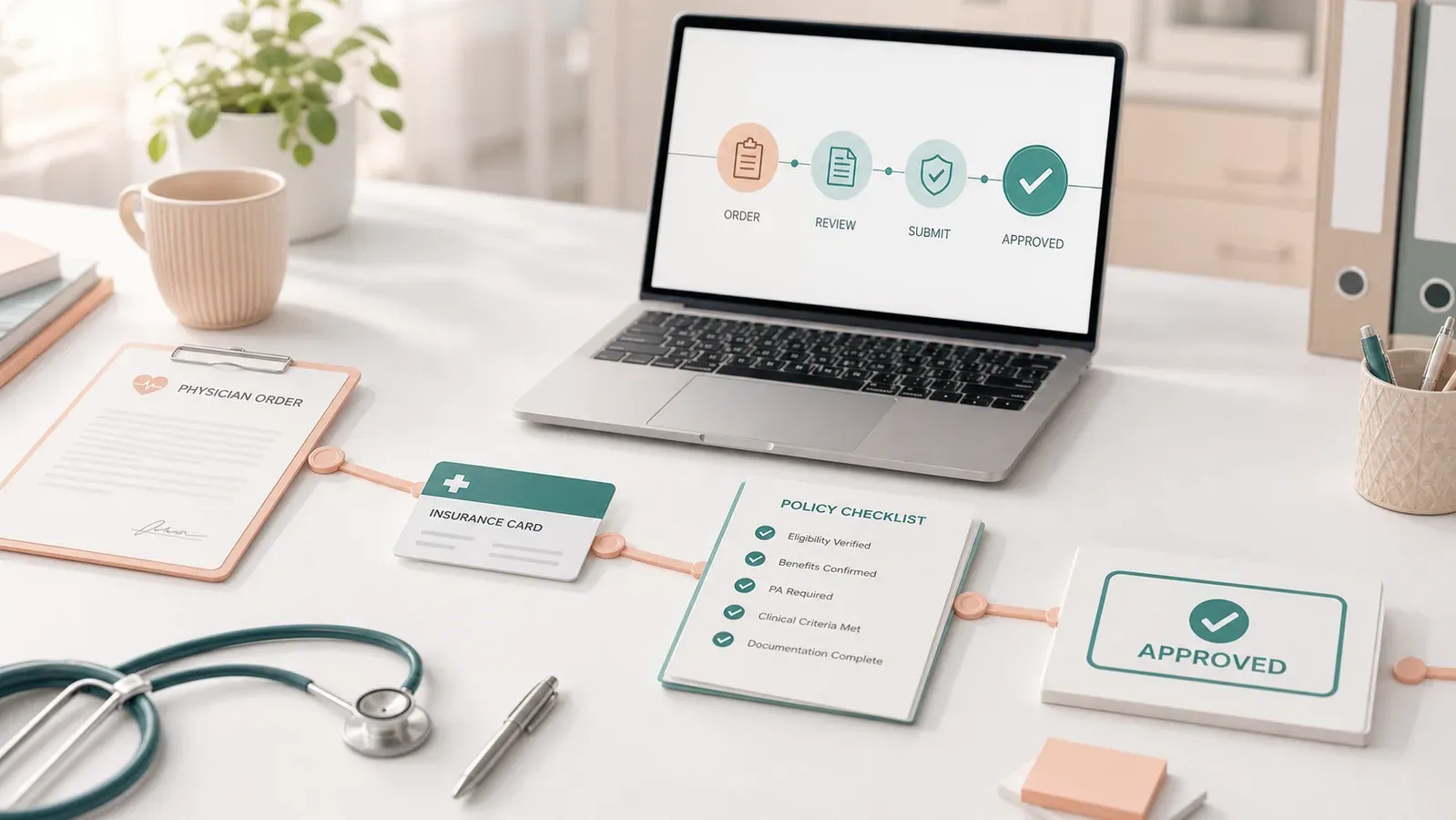
Prior authorization (PA) automation helps medical groups answer one really important question: can we treat this patient without creating a preventable denial from the insurance company? Good software checks whether approval is required, gathers the evidence, submits the request, follows status, and sends exceptions to the right person before the service, drug, or device reaches the patient or is prepared for dispensing by the pharmacy.
The full workflow covers requirement checks, documentation, medical-necessity review, submission, status tracking, and appeals. The 2026 timing matters because CMS-0057-F starts prior-authorization process reforms before the 2027 API compliance date, while CAQH’s 2024 Index found that 43% of medical prior authorizations used end-to-end electronic channels. Medical groups still need to judge where automation helps, where humans should stay in control, and whether a vendor can handle their payer mix.
Overview
Requirement check
Is PA required for this patient, service, payer, and date?
Documentation gathering
Pull notes, labs, imaging, prior therapy, and attachments.
Medical-necessity review
Run a pre-submission evidence check against payer policy.
Submission
Submit through portal, fax, phone, EDI, or payer API.
Status tracking
Poll for decisions, reference numbers, and stalled cases.
Appeals and exceptions
Route complex cases with evidence already assembled.
Key takeaways
- PA automation is broader than ePA. Electronic PA handles transmission; automation covers the entire workflow.
- Six workflow steps make up a full stack: requirement, docs, necessity, submission, status, appeals.
- Not every PA should be autonomous. Peer-to-peer, novel drug, ambiguous documentation, and substantive appeal cases should stay human-led with automation assembling context.
- Channel coverage matters more than technology choice. CAQH found medical PA split across end-to-end electronic, portal/IVR, and manual channels.
- Policy dates matter. Payer requirements can change during an active course of care, so requirement checks need effective-dated policy history.
- CMS estimates that requesting prior authorizations costs providers $20-$50 per hour and takes an average of 13 hours per week; for each provider, that is about $34K and 700 hours of administrative time each year.
- CMS-0057-F is the regulatory tailwind, but the 2027 Prior Authorization API requirement does not eliminate portal, fax, phone, and commercial-plan fragmentation in 2026.
- Evaluating a vendor requires a launch plan. Five questions separate real automation from surface automation.
Why does prior authorization need automation?
Prior authorization needs automation because it consumes provider time, delays care, and splits staff work across payer portals, phone calls, fax, and EDI. Medical groups should measure fewer missed authorizations, cleaner evidence packets, faster treatment start times, and less staff rework, not submission speed alone.
PA sits near the top of healthcare’s administrative burden list. CMS estimates that requesting PAs costs providers $20-$50 per hour and takes an average of 13 hours per week; for each provider, that is about $34,000 and 700 hours of administrative time each year. CAQH’s 2024 Index estimates that medical PA still takes 24 minutes by phone, fax, mail, or email and 16 minutes through web portals or IVR, with full electronic adoption saving about 14 minutes per authorization. In complex treatment specialties like oncology or rheumatology, the burden can be higher than transaction-time averages suggest because the work includes evidence gathering, benefit-pathway checks, and payer-specific documentation requirements.
Imagine an oncologist choosing a chemotherapy regimen, the patient preparing mentally for treatment, and then the team discovering the next day that the PA was denied. That creates immediate uncertainty for the patient: Can I still get treated? Will my therapy be delayed? Does my doctor need to change the plan? The anxiety compounds if the oncologist has to modify the regimen and the team has to restart or amend the authorization process. In oncology, this is not a one-time risk either. Depending on the payer and treatment, teams may need renewals, amendments, or rechecks across 21- or 28-day treatment cycles.
Regimen changes are especially risky because an approval for one drug, dose, cycle, line of therapy, or site of care may not apply to the next version of the treatment plan. A strong PA workflow should catch these changes early and determine whether a new authorization, amendment, renewal, or recheck is needed before the patient’s next treatment date.
Teams cannot automate PA as one transaction because the infrastructure splits the work:
- A “BlueCross BlueShield” PA for the same CPT can route to Availity, eviCore, or Carelon depending on plan, state, and service.
- Submission channels vary across EDI 278, portal, fax, and phone, sometimes even with the same payer.
- Policies change often and use language such as “recent imaging” and “failed conservative therapy” that resists rule-matching.
Payers also change requirements during active courses of care. Humana’s South Carolina Medicaid policy for superficial radiation therapy lists an effective date of March 9, 2026 for SRT codes 77436-77439 and limits image-guided SRT. In oncology, a Highmark Blue Cross Blue Shield Federal Employee Program update moved selected medications, including Keytruda and Opdivo, from post-service medical-necessity review to pre-service prior authorization effective February 1, 2026. A static requirement lookup can be correct for one date of service and wrong for the next.
PA automation has to work across payer, channel, policy, and documentation variation. A narrow channel slice leaves denial risk in the handoffs.
Who benefits from prior authorization automation?
Prior authorization automation can reduce provider administrative work, help patients avoid delays and abandonment, give payers cleaner evidence packets, and move RCM teams from repetitive portal handling to exception management.
Providers get fewer manual checks, fewer duplicate portal logins, and better write-back into scheduling and billing workflows. Patients get faster access: the AMA’s 2024 prior authorization survey reported that 93% of physicians said PA delays care and 82% said it can lead patients to abandon a recommended course of treatment. Payers get cleaner submissions with clearer citations to policy criteria, which reduces avoidable back-and-forth.
Specialty practices get the most benefit. Oncology, rheumatology, neurology, and infusion-heavy groups deal with expensive therapies, site-of-care requirements, and diagnosis-dependent routing. In those settings, one preventable missed authorization can matter more than a few seconds saved on a simple transaction.
How Prior Authorization Automation Works
What are the six steps of a full PA automation workflow?
A full PA automation workflow has six steps: requirement check, documentation gathering, medical-necessity review, submission, status tracking, and appeals or exception handling. Vendors that stop at lookup and submission handle the easiest work. They have not solved the denial-prevention problem.
| Step | What it does | Automation grade |
|---|---|---|
| 1. Requirement check | Decide if this service needs a PA for this patient on this date | High for major payers; lower for ASO plans |
| 2. Documentation gathering | Pull clinical evidence the payer will demand | High for structured data; low for free-text and attachments |
| 3. Pre-submission evidence check | Compare chart evidence to payer criteria before filing; provide citations | Works with structured policy review and human-review controls |
| 4. Submission | Send through the payer’s preferred channel (278, portal, fax, phone) | Variable by channel |
| 5. Status tracking | Poll for updates; escalate stalled cases | High |
| 6. Appeals | Generate appeals on denial; route peer-to-peer | Medium, strong on administrative and weaker on substantive clinical |
Teams often underestimate the first step: deciding whether PA is required at all. That decision depends on payer, plan, code, diagnosis, place of service, and the payer’s policy on the date of service. A missed PA creates denial risk. A phantom PA wastes staff time and delays care. We cover the mechanism in depth in How Does AI Check Whether PA Is Required?.
Step 1: Requirement check
A workable requirement-check pipeline reconciles:
- Payer identity (EDI 271, card image, EHR demographics)
- Plan and product (Commercial, MA, Medicaid, Exchange)
- CPT/HCPCS/J-code
- Diagnosis (ICD-10), since some PAs route by diagnosis
- Place of service
- Regimen changes, including drug, dose, cycle, site-of-care, or line-of-therapy changes
- The payer’s policy on the date of service
Step 2: Documentation gathering
For a single Keytruda infusion authorization, a payer may demand the oncology consult note, diagnosis and staging details, pathology report, biomarker testing results such as PD-L1/MSI/MMR where applicable, prior treatment history, imaging reports showing disease status, current medication list, and the intended regimen details. Staff may have to collect those records from several EHR modules, oncology systems, lab portals, and outside facilities. AI can help extract structured answers from free text and attachments, but oncology evidence should remain source-cited and route to human review when ambiguous.
Step 3: Pre-submission evidence check
Payer medical-necessity policies often ask for “recent imaging,” “failed conservative therapy,” or “appropriate diagnosis codes” without defining recent, failed, or appropriate. A pre-submission evidence check compares the active payer policy against patient documentation before filing, cites the source documents, and routes missing or ambiguous evidence to human review. The team reduces denial risk before the payer sees the packet.
Step 4: Submission
Submission fragmentation remains the largest infrastructure problem in PA. EDI 278 works for some payers, but medical PA still splits across electronic, portal/IVR, and manual channels: CAQH’s 2024 Index reports 43% end-to-end electronic, 35% portal or IVR, and 22% manual. Modern automation needs APIs and EDI where available, browser automation for portals, and operational paths for fax and phone-based work.
Step 5: Status tracking
Most status tracking comes down to polling plus rule-based escalation. Some teams now use voice agents to call payer lines when portals return stale status. The hard part is write-back: the reference number and determination need to land in the EHR, scheduling system, and billing system without staff retyping them.
Step 6: Appeals
Teams can automate template-based administrative appeals. Substantive clinical appeals, where the argument turns on physician judgment, should stay human-led, with automation pre-assembling the relevant chart evidence, payer policy criteria, denial rationale, and context from the provider’s past successful submissions.
What should stay human?
A safe PA automation design names its human boundary. Peer-to-peer reviews, novel or off-label clinical arguments, ambiguous charts, and formal disputes should route to humans with evidence pre-assembled. A system claiming fully autonomous and automated PA handling often hides clinical and compliance risk.
A vendor should name the work humans still own:
- Peer-to-peer reviews. Clinical conversations between the ordering physician and the payer’s medical director.
- Novel drug requests and off-label cases. Cases where the clinical argument is the request.
- Ambiguous documentation. Escalate when the chart does not clearly support criteria. Do not infer, fabricate, or present uncertain conclusions as fact. In PA workflows, it is better for AI to say “not enough evidence” and route to a human than to be confidently wrong.
- Payer disputes with legal stakes. Formal appeals, state complaints, compliance matters.
- First-rollout review. New payer-service combinations should start with human review and structured feedback before automation expands.
Any vendor claiming every PA can run without review raises a red flag. The CMS PA API FAQ says the Prior Authorization API rule does not require every decision to happen in real time, and some requests can still require clinical review. A practical target is high automation on repeatable payer-service combinations, with clinical edge cases handled by a human working from assembled context.
How does PA automation differ from electronic prior authorization (ePA)?
Electronic prior authorization is a transport standard; PA automation is an operational workflow. ePA moves a request and response through electronic rails. PA automation also handles requirement discovery, evidence assembly, portal/phone/fax channels, status tracking, and exception routing.
Medical groups often hear the terms used together, but they describe different scopes:
| ePA | PA automation | |
|---|---|---|
| Scope | Electronic transmission of PA request/response | Full workflow end-to-end |
| Covers portal submissions? | No | Yes |
| Covers phone PAs? | No | Yes (via voice agents) |
| Covers status tracking? | Not by default | Yes |
| Covers appeals? | No | Yes |
| Standard | EDI 278, NCPDP SCRIPT | Any channel, any standard |
ePA is a transport layer. PA automation is a workflow system that uses ePA where it works and other channels where it does not.
How does PA automation relate to benefits verification?
Benefits verification and prior authorization should connect without being collapsed into one workflow. BV establishes payer, plan, benefit type, and member context. The PA workflow then uses that context to check authorization requirements, documentation readiness, and denial risk before filing.
Benefits verification (BV) answers “can we bill this payer for this patient?” PA answers “will the payer approve this specific service?” Industry transactions separate eligibility and benefits from prior authorization. A good workflow respects that separation while making the handoff explicit: payer, plan, benefit type, service, diagnosis, site of care, and date of service should flow into the PA process before anyone files.
That distinction matters because many buyers use “prior authorization” to mean filing the request. Filing is only one stage. The upstream PA work is deciding whether authorization is required, which pathway applies, what evidence is needed, and which risks should be resolved before submission. We unpack the workflow boundary in Prior Authorization vs Benefits Verification.
Vendor Evaluation
What does the vendor landscape look like?
The vendor market splits into pharmacy ePA tools, EHR-embedded PA modules, and full-stack PA automation platforms. Stage coverage creates the practical difference: many tools automate one or two PA stages, while full-stack platforms try to span requirement checks, evidence assembly, submission, status tracking, and exception handling.
| Category | Best-covered stages | Common gaps |
|---|---|---|
| Pharmacy ePA (CoverMyMeds and similar) | Pharmacy-benefit PA submission and response through NCPDP SCRIPT | Medical-benefit PA, portal/phone/fax work, specialty criteria, appeals |
| EHR-embedded PA | Order-context workflow, chart access, some payer connectivity, sometimes submission/status | Payer-channel breadth, non-connected portals, phone/fax, policy ambiguity, cross-system write-back |
| Full-stack PA automation platforms | Requirement checks, documentation gathering, medical-necessity review, portal/phone/fax/EDI submission, status tracking, exception routing | Newer category; needs validation controls, human-review routing, specialty depth, and EHR integration |
Full-stack PA automation platforms can operate portal and phone channels, but their larger value comes from connecting the six stages: detect whether PA is required, gather evidence, reason against payer criteria, submit through the payer’s available channel, track status, and tee up appeals or exceptions with context. That differs from a tool that transmits an already-prepared PA request.
The standards stack treats requirement discovery, documentation capture, request submission, response handling, and attachment follow-up as separate pieces of the PA workflow. CMS-0057-F and HL7 Da Vinci’s CRD, DTR, and CDex guides formalize this broader workflow through the Prior Authorization API, Coverage Requirements Discovery, Documentation Templates and Rules, and attachment exchange.
Most practices still end up with a hybrid: the EHR’s native module where it works, a full-stack automation platform for portal-and-phone work, and a denials layer stitched in. During evaluation, ask whether those pieces behave like one workflow or like disconnected queues. The goal would be one seamless workflow.
How do you evaluate a PA automation vendor?
Evaluate a PA automation vendor on fit with your payer-service mix, workflow integration, and launch plan. Ask how the vendor handles channel coverage, exception routing, EHR/scheduling write-back, payer-policy change, and the Production Alignment Ramp after deployment starts.
Five questions separate real automation from surface automation:
| Question | Green flag | Red flag |
|---|---|---|
| Launch plan for my top payer-service combinations? | Prioritized rollout with human-review points and feedback capture | Generic demo with no deployment path |
| How do you detect and handle payer policy change? | Continuous monitoring, change alerts | “Our team refreshes every quarter” |
| Channel coverage for my payer mix? | Portal + fax + phone + 278, mapped to your payers | “We support the major payers” |
| What happens to cases automation can’t handle? | Escalation with evidence pre-assembled | “Routed to a queue for manual review” |
| Do you monitor post-approval invalidation? | Yes, with automated pull-back into workflow | “We stop at approval” |
Verify two things yourself:
- Does automation write results back to the EHR and scheduling system? If staff still retype the reference number, the time savings remain theoretical.
- How does the vendor run the Production Alignment Ramp? The answer should name human review, feedback capture, payer-policy mappings, documentation playbooks, exception routing, and expansion across payer-service patterns.
For a full enumeration of what goes wrong when vendors cut corners on these dimensions, see Why Prior Authorization Automation Fails.
How does PA automation vary by specialty?
Specialty changes the automation problem because payer rules, clinical criteria, documentation, and financial exposure vary by service line. Oncology drug PA, rheumatology infusion PA, and neurology therapy renewals do not share one workflow with different labels.
Specialty sets the complexity of medical-necessity logic, the payer mix, and the submission channels that matter.
Oncology
Some payers route oncology drug PA through specialty pathways or delegated vendors, but routing varies by payer, plan, diagnosis, benefit path, and state. Medical-necessity criteria may reference line of therapy, biomarkers, prior regimens, NCCN Compendium or guideline support, preferred-product rules, and step therapy exception evidence. Buy-and-bill economics turn denial prevention into a working-capital issue because one unreimbursed infusion can cost thousands.
For a deeper specialty-specific view, see Prior Authorization Automation for Oncology.
Rheumatology (infusions and injections)
High-cost biologics (Remicade, Orencia, Entyvio, Stelara) come with multi-step preferred-product hierarchies. BCBS Michigan’s list, as one example, requires patients to try and fail specific pharmacy-benefit alternatives before certain medical-benefit drugs are authorized. The required sequence differs by indication.
Neurology
Neurology teams manage chronic therapies (migraine preventives, MS infusions), quantity-limited medications, and a mix of pharmacy and medical-benefit drugs. Long-horizon renewal workflows dominate.
For a Botox chronic migraine workflow example, see Prior Authorization Automation for Neurology.
Implementation And Regulation
What does implementation look like?
A realistic implementation starts with a payer-service audit, maps clinical criteria, launches into a Production Alignment Ramp, and expands automation as repeatable patterns stabilize. The sequence matters more than the calendar: autonomous operation should follow workflow evidence, not a vendor’s default implementation timeline.
Audit
PA volume, channels, and turnaround by payer-service pair.
Criteria
Map payer criteria to chart evidence and attachments.
Configure
Build portal, phone, fax, and write-back flows.
Align
Weeks 4-8: work live cases with human review and feedback capture.
Expand
During the same ramp, move stable patterns toward exception-based review.
Monitor
Watch denials, drift, policy changes, and appeals.
A realistic deployment follows a Production Alignment Ramp for each top payer-service combination:
- Week 1: PA volume audit. Pull recent PA history. Classify by payer, CPT, channel, and turnaround. Identify the highest-volume payer-service combinations.
- Week 2: Clinical criteria mapping. For each top combination, document medical-necessity criteria and map them to discrete and free-text data in the EHR.
- Weeks 2-3: Workflow configuration. Configure portal, phone, fax, API/EDI, and write-back workflows for the highest-priority payer-service combinations.
- Weeks 4-8: Production Alignment Ramp. Work live cases with human review. Use feedback to refine workflow rules, payer-policy mappings, documentation playbooks, and exception routing.
- During the same ramp: Automation expansion. Move stable payer-service patterns toward exception-based review while ambiguous clinical cases stay human-led.
- Ongoing: Denials and appeals integration. Connect PA outputs to a denials workflow so auto-denied auths feed into appeals generation.
What’s the regulatory tailwind?
CMS-0057-F makes prior authorization interoperability a policy direction, but it does not eliminate today’s portal, fax, and phone reality. Practices still need automation that works across current commercial medical PA channels while the API ecosystem matures.
PA automation is both a policy priority and a cost issue:
- CMS-0057-F: According to the CMS PA API FAQ, process requirements begin in 2026, and API requirements begin in 2027. Impacted payers must implement a Prior Authorization API by 2027, meet tightened decision timeframes (72 hours urgent, seven calendar days standard for impacted payers excluding QHP issuers on the FFEs), publish metrics, and provide specific denial reasons.
- CMS-0062-P: CMS proposed extending electronic PA standards to drugs, with FHIR-based workflows for medical-benefit drugs and NCPDP workflows for pharmacy-benefit drugs. It would be implemented after the CMS-0057-F rollout, but it sets the stage for prior authorization moving toward standardized electronic workflows across drug and non-drug services.
- ONC HTI-4: EHR certification updates push electronic PA support across certified health IT.
The rules make PA automation part of healthcare infrastructure. They do not cover every commercial plan or every drug workflow, so medical groups still need automation that can handle portals, fax, phone, and payer-specific tools while API adoption matures.
What happens to my PA team after automation?
PA automation changes the work mix rather than eliminating the need for operational judgment. Manual submission volume should fall; exception handling, peer-to-peer coordination, appeal preparation, patient navigation, and denial prevention become the higher-value staff work.
Volume shifts rather than disappears. Manual submission work drops; staff time moves to:
- Peer-to-peer scheduling and clinical-staff liaison roles
- Appeals and denials management, with cleaner evidence packets and clearer routing
- Patient-facing navigation: helping patients understand coverage options and route clinical questions back to the care team
- Exception handling on cases automation routes to a human
Good teams do not disappear. Their work shifts toward higher-judgment cases.
Kairos POV
PA automation depends on production feedback, not feature lists. Every payer-service combination creates its own workflow surface. Kairos uses live-case feedback to refine workflow rules, payer-policy mappings, documentation playbooks, and exception routing before automation expands across repeatable patterns.
Baseline denial and rework before rollout. Complex specialty practices should baseline denial, rework, and reschedule rates before automation expands. Kairos treats those metrics as inputs to tighten requirement checks, pre-submission evidence review, policy-date monitoring, and human-review routing before filing.
Measure time to therapy, not PA speed alone. A faster submission is not enough if the patient still waits. A JAMA Network Open survey of cancer patients with PA experience found that 69% reported PA-related delays, and 73% of delayed patients reported waiting 2 or more weeks. Kairos’s operating view is that PA automation should be measured against order-to-treatment time, first-pass approval, avoided reschedules, and preventable denials, with submission time treated as one input.
Check evidence before submission; keep clinicians in charge of clinical arguments. Kairos compares payer policy with patient documentation before filing, assembles source-linked evidence, and routes missing or ambiguous support to human review. The goal is not to automate clinical judgment; it is to make clinical review faster, better supported, and less likely to produce an avoidable first-pass denial.
Bottom line
PA automation connects six manual activities into one workflow. Requirement lookup and form submission were already tractable. Clinical-necessity reasoning, portal and phone channels, and policy drift define the harder work for modern PA automation platforms. Vendor quality shows up in measured performance on real payer-service combinations across requirement checks, evidence, submission, status, and exceptions.
FAQs
Is PA automation the same as electronic prior authorization (ePA)?
No. ePA handles electronic transmission of a PA request/response (X12 278 or NCPDP SCRIPT). PA automation covers the full workflow across any channel, including portal and phone.
Can all prior authorizations be automated?
No. Keep some PA work human-led: peer-to-peer reviews, novel drug requests, complex appeals, and cases where clinical documentation is ambiguous. Automation should pre-assemble context for those exceptions instead of pretending every case is autonomous.
Does PA automation work without EDI 278 support from the payer?
Yes. CAQH's 2024 Index found that 43% of medical prior authorizations used end-to-end electronic channels, with the rest running through portals, IVR, phone, fax, mail, or email. PA automation still needs non-278 channels.
What's the difference between rule-based and AI-based PA automation?
Rule-based systems encode payer logic in explicit rules: fast and explainable but brittle. AI-based systems reason over policy documents and clinical evidence, including vague criteria. Production systems combine both.
How long does PA automation take to implement?
Deployments should start with a payer-service audit, criteria mapping, and a Production Alignment Ramp. During that ramp, live-case feedback refines workflow rules, payer-policy mappings, documentation playbooks, and exception routing before automation expands across repeatable payer-service patterns.
What happens to my PA team after automation?
Volume shifts rather than disappears. Manual submission work drops; staff time moves to peer-to-peer coordination, appeals, patient navigation, and exception handling. Appeals volume often rises as more marginal cases are caught.
Does a PA guarantee payment?
No. An approved PA means the payer has pre-approved the service under the member's current benefit. Final payment still depends on clean claim submission, correct coding, and the service being delivered as authorized.
How much should I expect to invest in PA automation?
Pricing varies by volume, specialty, and channel coverage. Frame the investment against baseline cost: CMS estimates that requesting PAs costs providers $20-$50 per hour and takes 13 hours per week per provider, about $34K and 700 hours each year per provider.