
Prior Authorization Automation for Oncology
A practical guide to automating oncology prior authorizations without losing the clinical evidence, payer rules, and human review that cancer-drug requests need.
- Last Updated
- June 25, 2026
- Originally Published
- June 25, 2026
- Author
-
 Sohil Bhagat
Chief Product Officer, Kairos Health
Sohil Bhagat
Chief Product Officer, Kairos Health
This page is part of our PA Automation Complete Guide. Start there for the full workflow; this specialty spoke focuses on oncology, where PA depends on treatment-specific clinical evidence.
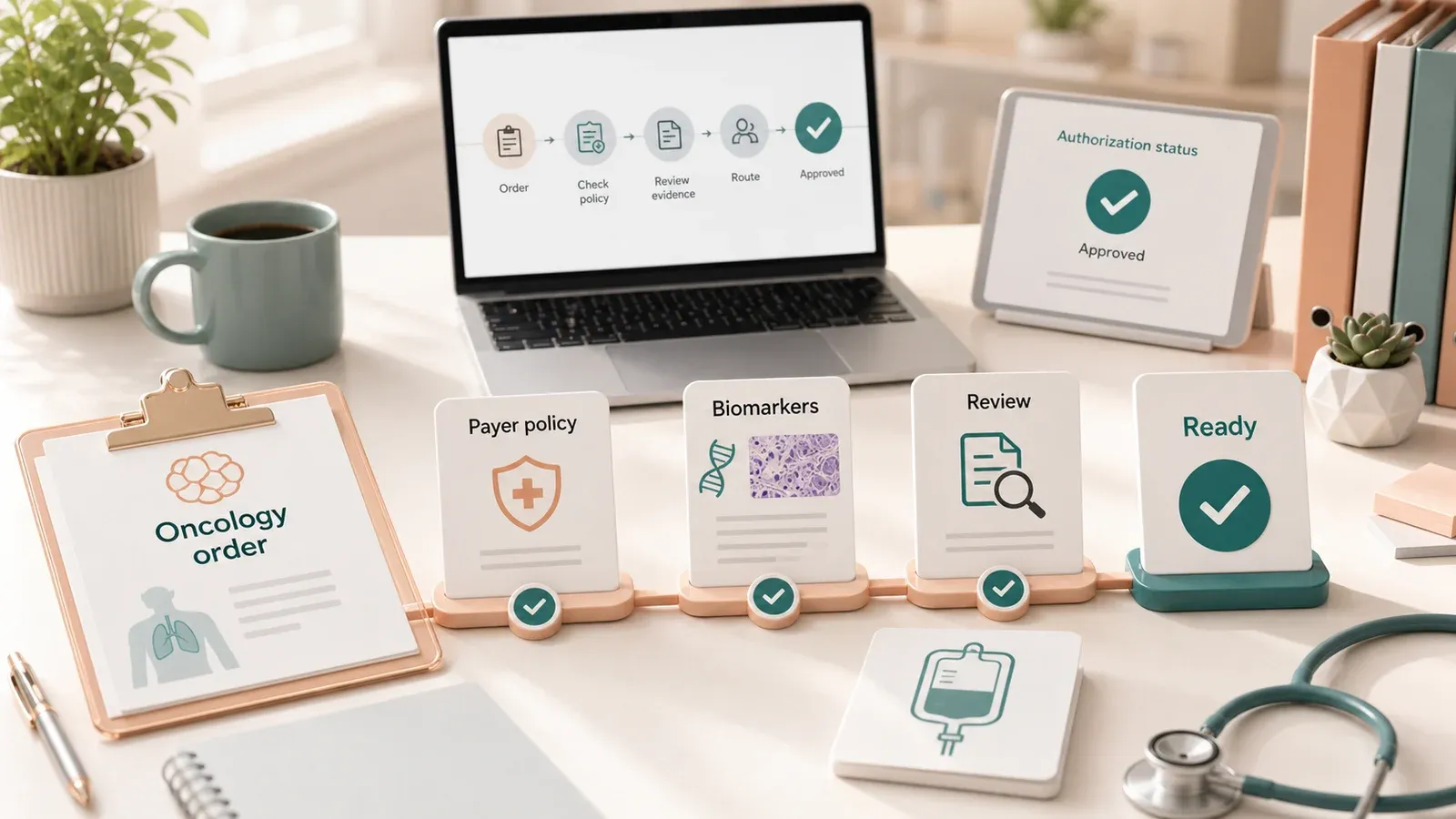
Prior authorization automation for oncology helps practices decide whether a cancer therapy needs approval, assemble payer-required evidence, compare that evidence with current policy, and route ambiguous cases to human review before submission. Oncology is harder than routine PA because drug, regimen, diagnosis, biomarkers, line of therapy, benefit path, and policy version all matter.
A JAMA Network Open survey of 178 patients with cancer found that 69% reported a PA-related care delay, and 73% of delayed patients waited at least two weeks. That is why oncology PA automation should be judged on avoidable delays and evidence quality, not form-fill speed alone.
Overview
Oncology PA automation should return a cited determination, not a bare approval guess.
Payer rule
PA list, oncology drug policy, effective date, and reviewer path.
Order context
Drug, HCPCS/J-code, route, site, units, regimen, and date of service.
Clinical evidence
Diagnosis, stage, histology, biomarkers, imaging, and prior therapy.
Workflow result
Submit, hold for evidence, amend, renew, or route for clinical review.
Key takeaways
- Oncology PA is a policy-to-chart evidence problem. Drug code starts the workflow, but diagnosis, stage, biomarkers, regimen, line of therapy, and policy version decide whether the request is supported.
- Guideline and compendium references matter. Payer policies may rely on NCCN, FDA labeling, or other compendia, so automation has to preserve source boundaries.
- Human review stays in the loop. Off-label use, missing pathology, unclear biomarkers, preferred-product exceptions, peer-to-peer work, and appeals need a reviewer with evidence already assembled.
Why does oncology prior authorization need specialty-specific automation?
Oncology prior authorization needs specialty-specific automation because cancer-drug approval depends on more than payer and code. A useful workflow connects the payer’s current oncology policy, guideline or compendium reference, and chart evidence before filing.
Oncology adds clinical branches that routine PA workflows often miss: initial vs continuation, monotherapy vs combination therapy, metastatic vs adjuvant use, biomarker status, prior therapy, site of care, preferred-product logic, and benefit path.
UnitedHealthcare’s oncology PA page and 2026 commercial PA list show the first gate: scheduled outpatient cancer therapy can require PA before clinical evidence review begins.
That requirement check only answers is PA required? The harder question is whether the patient’s record supports the requested therapy. In oncology, that often runs through NCCN. UnitedHealthcare’s commercial oncology medication policy says its injectable oncology coverage parameters are based on the National Comprehensive Cancer Network Drugs & Biologics Compendium. CMS also recognizes drug compendia as authoritative sources for medically accepted indications for off-label anti-cancer drug use.
What makes oncology different from routine PA?
Routine PA often centers on code, payer, site, and benefit. Oncology PA adds facts scattered across oncology notes, pathology reports, biomarker reports, imaging, treatment history, and regimen plans. Automation fails when it files before checking those facts.
The workflow has to connect the drug and HCPCS/J-code, diagnosis and stage, biomarkers, line of therapy, regimen, guideline or label support, preferred-product rules, and policy date before staff submit.
Keytruda NSCLC Example
What should a Keytruda NSCLC automation trace include?
A Keytruda Non-Small Cell Lung Cancer (NSCLC) automation trace should keep four layers separate: requirement check, payer oncology policy, label or compendium support, and patient chart evidence. It should show whether the case is ready to submit, missing evidence, or needs human review.
For a scheduled outpatient Keytruda infusion, the requirement check should gather payer, plan, line of business, site of care, diagnosis, route, date of service, and HCPCS J9271. In the UHC Commercial example, the UHC commercial PA list and oncology PA page support the first gate: outpatient cancer therapy can require PA. Emergency or urgent care exceptions should not be generalized to scheduled infusion.
The policy trace then asks a different question: does this patient’s record support the requested pembrolizumab regimen under the payer’s current oncology policy? The DailyMed Keytruda label, updated May 12, 2026, lists NSCLC uses that depend on facts a PA workflow must find, including histology, metastatic setting, PD-L1 status, EGFR/ALK status, and whether Keytruda is requested alone or in combination.
For this example, the minimum useful trace is:
| Trace layer | What the system should show |
|---|---|
| Requirement check | Payer, plan, line of business, code, diagnosis, site, route, date of service |
| Policy support | Current oncology policy, effective date, NCCN/compendium or label reference |
| Chart evidence | NSCLC diagnosis, histology, stage, biomarkers, EGFR/ALK status, regimen, line of therapy, prior treatment |
| Routing result | Submit, hold for evidence, amend, renew, or send to clinical review |
Should oncology PA automation track preferred products and step therapy?
Yes. Oncology PA automation should track preferred products and step therapy, but only as payer-policy requirements and exception evidence. It should not present preferred-product logic as software-generated treatment advice.
Preferred-product logic can decide whether the packet needs a straightforward clinical-evidence submission or an exception argument. UnitedHealthcare’s commercial oncology medication policy includes preferred and non-preferred oncology product tables, including NSCLC-specific logic. UHC’s Medicare Advantage Part B Step Therapy policy shows how MA Part B drug policies can introduce step therapy criteria. Commercial, MA, Medicaid, and ASO plans must be evaluated under the member’s actual policy.
The nuance is that oncology is not a generic “try cheaper drug first” category. CMS allows Medicare Advantage plans to use step therapy for Part B drugs under safeguards, while ASCO says step therapy is generally inappropriate in oncology because modern cancer treatment is individualized and many anti-cancer drugs are not interchangeable. A good workflow detects the rule, finds exception evidence, and routes the case to human review when the payer rule conflicts with the oncologist’s plan.
Where should human review enter the Keytruda workflow?
Human review should enter when the chart does not clearly support the payer criterion, sources disagree, the request is off-label or unusual, or the clinical argument matters more than the form. Automation should assemble the evidence and the gap, then ask a human to decide.
The workflow can file a clean case when the order, diagnosis, biomarker report, treatment plan, guideline reference, and payer policy agree. It should hold the case when biomarkers are missing, staging conflicts with imaging, EGFR/ALK status is pending, the regimen changed, or preferred-product exception evidence is not documented.
CMS’s 2024 final rule applies Prior Authorization API requirements to non-drug items and services, and the CMS PA API FAQ says the rule does not require real-time decisions. Oncology drug PA should still be treated as a drug-specific workflow where some requests need clinical review.
Automation Workflow
What should oncology PA automation do before filing?
Before filing, oncology PA automation should run a pre-submission evidence check. The system should map payer criteria to chart evidence, cite the source document for each answer, and route missing or ambiguous support before staff submit.
The checklist should be short enough for staff to trust:
| Workflow step | Automation output | Evidence source |
|---|---|---|
| Requirement check | PA required, not required, or human review needed | Payer PA list, portal lookup, policy date |
| Benefit-path check | Medical benefit, pharmacy benefit, or unclear | Benefits verification, payer portal, plan documents |
| Evidence map | Answer set with source citations | Oncology note, pathology, biomarker report, imaging, treatment plan |
| Criteria comparison | Supported, missing, ambiguous, or conflicting | Payer policy, NCCN or compendium reference, FDA label, chart sources |
| Submission and write-back | Portal answers, attachments, reference number, next action | EHR, payer portal, fax, phone, EDI/API |
CMS’s 2026 proposed drug PA rule would extend electronic PA standards to drugs covered under medical and pharmacy benefits if finalized. The near-term reality is still mixed: oncology practices need automation across API, portal, fax, phone, payer forms, and clinical review.
What should stay human in oncology PA?
Clinicians and senior PA staff should own clinical judgment, off-label arguments, peer-to-peer reviews, substantive appeals, and cases where the chart evidence is ambiguous. Automation should prepare the facts, not invent the medical argument.
Keep these cases review-led:
- The requested use is off-label, rare, or heavily dependent on physician judgment.
- The payer requires a preferred product, but exception evidence is missing.
- The chart does not prove the required stage, biomarker, treatment setting, or regimen history.
- The denial rationale requires an appeal or peer-to-peer review.
Buyer Evaluation
How should an oncology practice evaluate a PA automation vendor?
Oncology practices should evaluate PA automation against real payer-drug combinations, not demo cases. Ask the vendor to trace a top therapy from requirement check to evidence extraction, medical-necessity review, submission, status tracking, and post-approval monitoring.
Use a short specialty test:
| Question | Green flag | Red flag |
|---|---|---|
| Can you trace a real oncology drug request? | Shows payer policy, J-code, diagnosis, biomarker, line of therapy, and source citations | Shows a generic completed form |
| Can you handle NCCN-based policies? | Shows the payer policy, compendium or guideline reference, and chart facts used for the determination | Says “we use guidelines” without source boundaries |
| How do you handle missing evidence? | Routes a cited gap to staff before submission | Submits whatever the EHR has |
| Can you track preferred-product logic? | Shows preferred/non-preferred status and exception evidence | Treats every covered oncology drug as equal after the code check |
| What channels do you cover? | Portal, fax, phone, EDI/API where available, with status write-back | “Major payer portals” without detail |
What should the implementation sequence look like?
A practical oncology PA implementation starts with a payer-drug audit, then builds evidence maps for the highest-risk combinations, then runs live cases through human review before moving repeatable patterns toward exception-based review.
Start with a small set of high-value workflows: audit recent oncology PAs, select top payer-drug combinations, map criteria to chart evidence, run live cases with human review, and expand only the stable paths.
Kairos POV
Oncology PA should feel like evidence QA, not clerical acceleration. Kairos’s operating view is that the best automation finds the weak spot before the payer does: missing biomarker, wrong policy date, unsupported line of therapy, incomplete preferred-product exception, or a regimen change that invalidates the previous approval.
The durable artifact is the trace. A completed form is useful for one submission. A source-linked trace is useful for staff review, peer-to-peer prep, appeal reconstruction, policy drift monitoring, and the next renewal. Oncology practices should ask vendors to show the trace, not only the submitted packet.
Bottom line
Oncology PA automation is not generic form fill. A useful system keeps requirement checks, payer policy, guideline support, preferred-product logic, and chart evidence linked from order to approval. Keytruda for NSCLC is a good trace because it puts those checks into one concrete workflow.
FAQs
What makes oncology prior authorization different from general prior authorization?
Oncology PA depends on drug, diagnosis, stage, biomarkers, regimen, line of therapy, benefit path, NCCN or compendium references, preferred-product rules, and policy date. Generic form-fill workflows can miss the evidence that decides whether the request is supportable.
Can AI fully automate oncology prior authorization?
AI can help with requirement checks, evidence assembly, draft answers, portal work, status tracking, and missing-document routing. Clinicians should own off-label arguments, peer-to-peer reviews, ambiguous charts, and appeals.
What evidence does oncology PA automation need for Keytruda?
A Keytruda PA can require HCPCS code, diagnosis, stage, histology, PD-L1, EGFR, ALK, regimen, prior therapy, site of care, and source documents such as pathology, oncology notes, imaging, and labs.
Does a prior authorization approval guarantee payment for an oncology drug?
No. An approval reduces pre-service authorization risk, but payment still depends on the service being delivered as authorized, correct coding, benefit path, timely filing, claim edits, and payer coverage rules on the date of service.
How should an oncology practice evaluate PA automation?
Evaluate whether the system can handle top payer-drug combinations, cite policy and chart evidence, catch policy-date changes, route missing evidence, cover portal and phone workflows, and write results back.